Quick Setup Guide
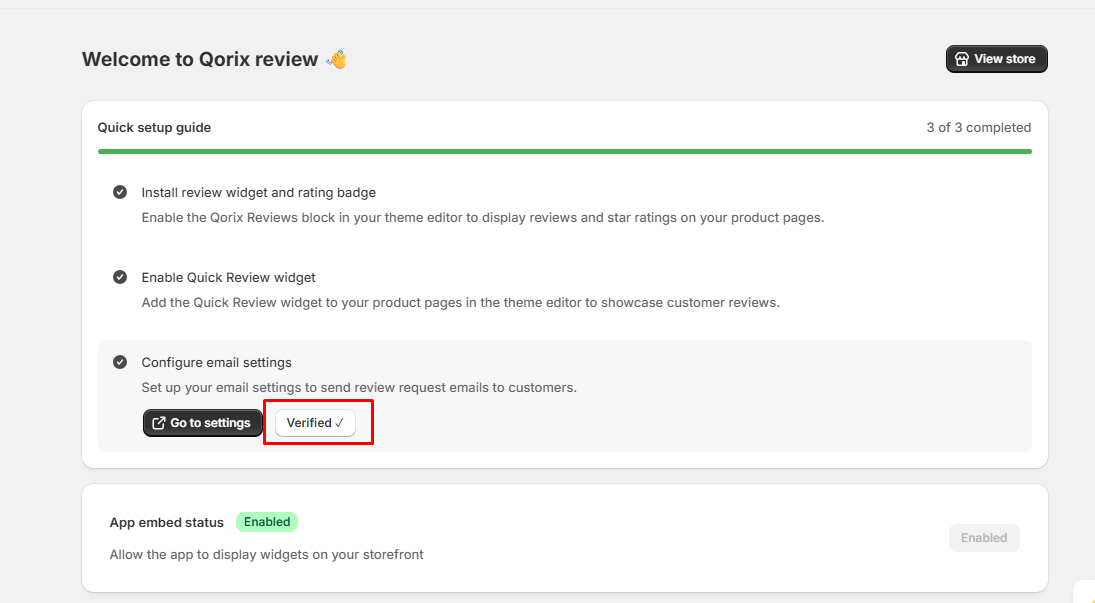
The Quick Setup Guide helps you easily install and configure Qorix Reviews on your Shopify store. Complete these simple steps to enable review widgets, display star ratings, and automate review request emails for authentic customer feedback.
Enable App Embed
Follow these steps to activate the app embed on your Shopify theme.
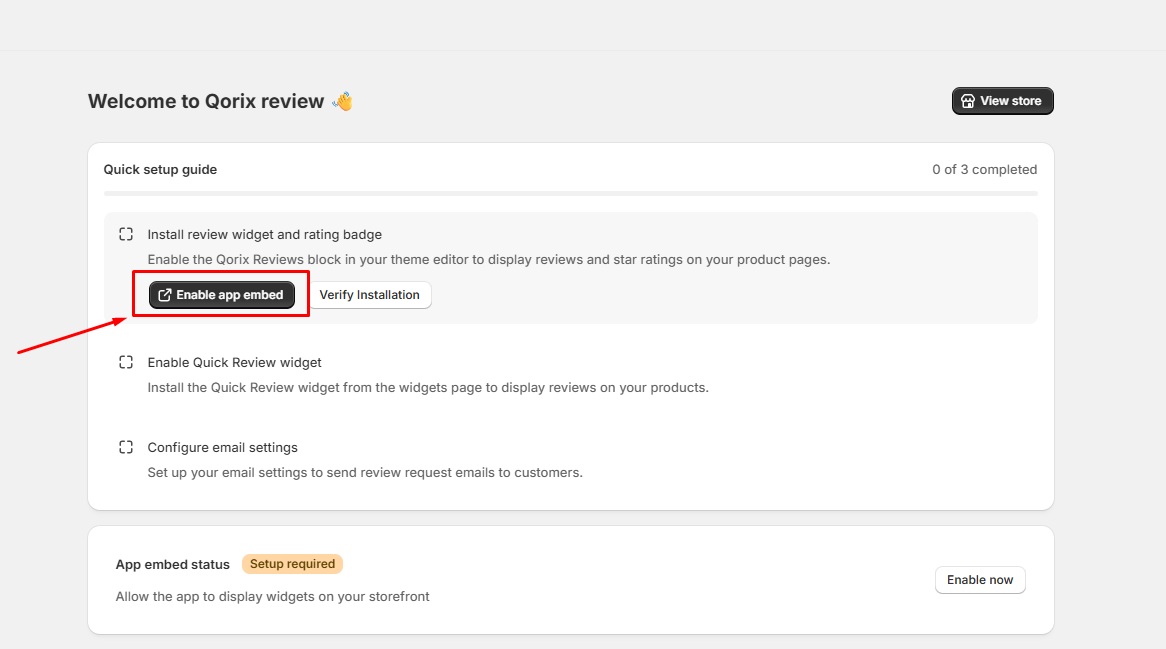
Step 1: Open Theme Editor
Click the Enable app embed button on the Quick setup guide page. This will automatically redirect you to your Shopify Theme Editor.
Step 2: Enable & Save
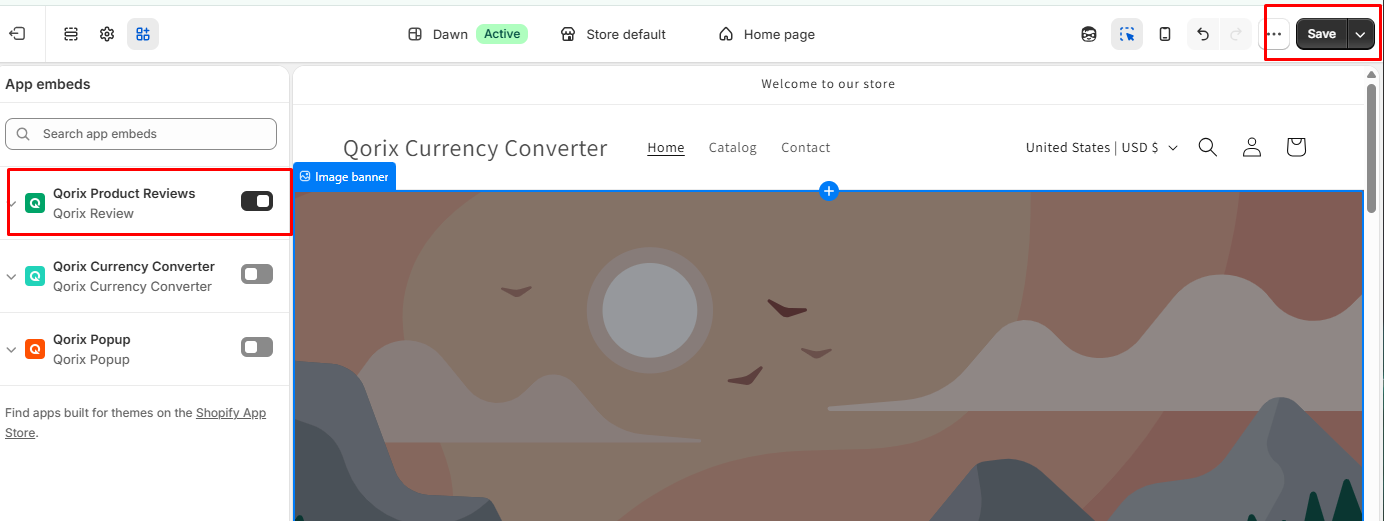
In the Theme Editor sidebar under App embeds, toggle on the Qorix Product Reviews switch. Then click the Save button in the top-right corner.
Step 3: Verify Installation
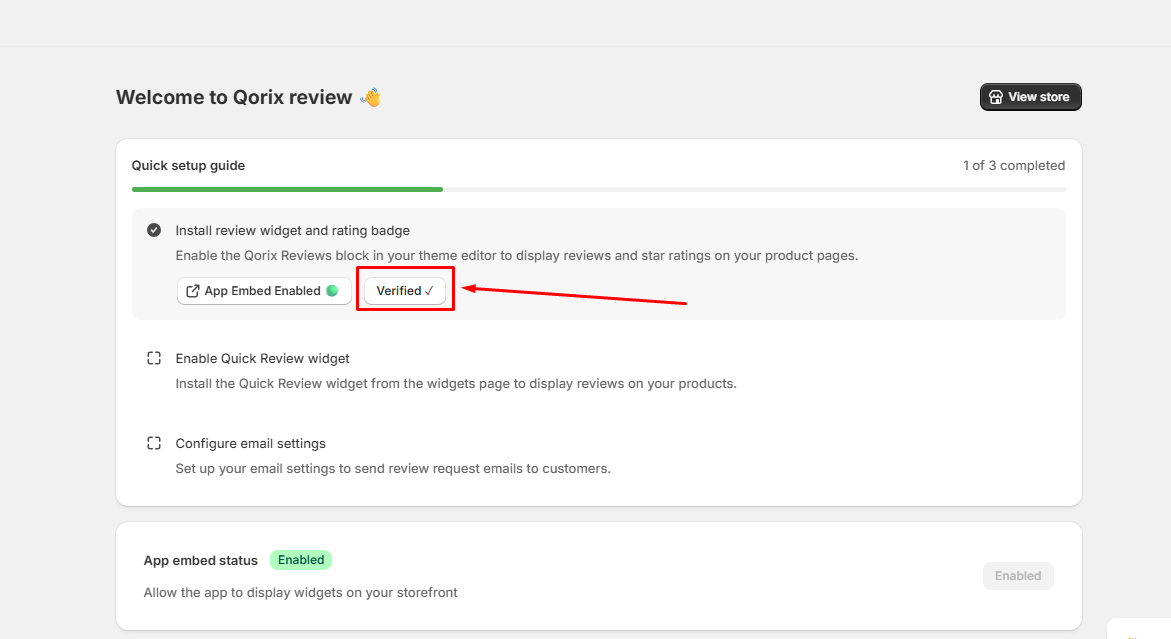
Return to the app dashboard and click Verify Installation. Once verified, the status will show Verified and App Embed Enabled.
Enable Quick Review Widget
Add the Quick Review block to your desired section on the product page layout.
Step 1: Open Theme Editor
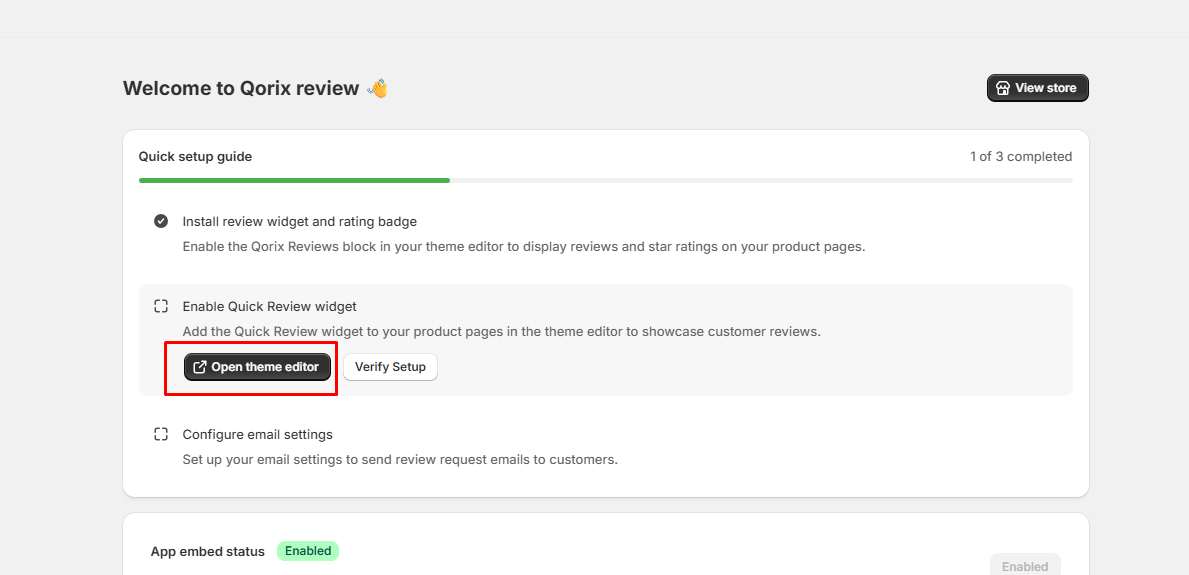
Click the Open theme editor button under the Enable Quick Review widget section in the Quick setup guide. This will launch your Shopify Theme Editor directly on the product template page.
Step 2: Add Block & Save
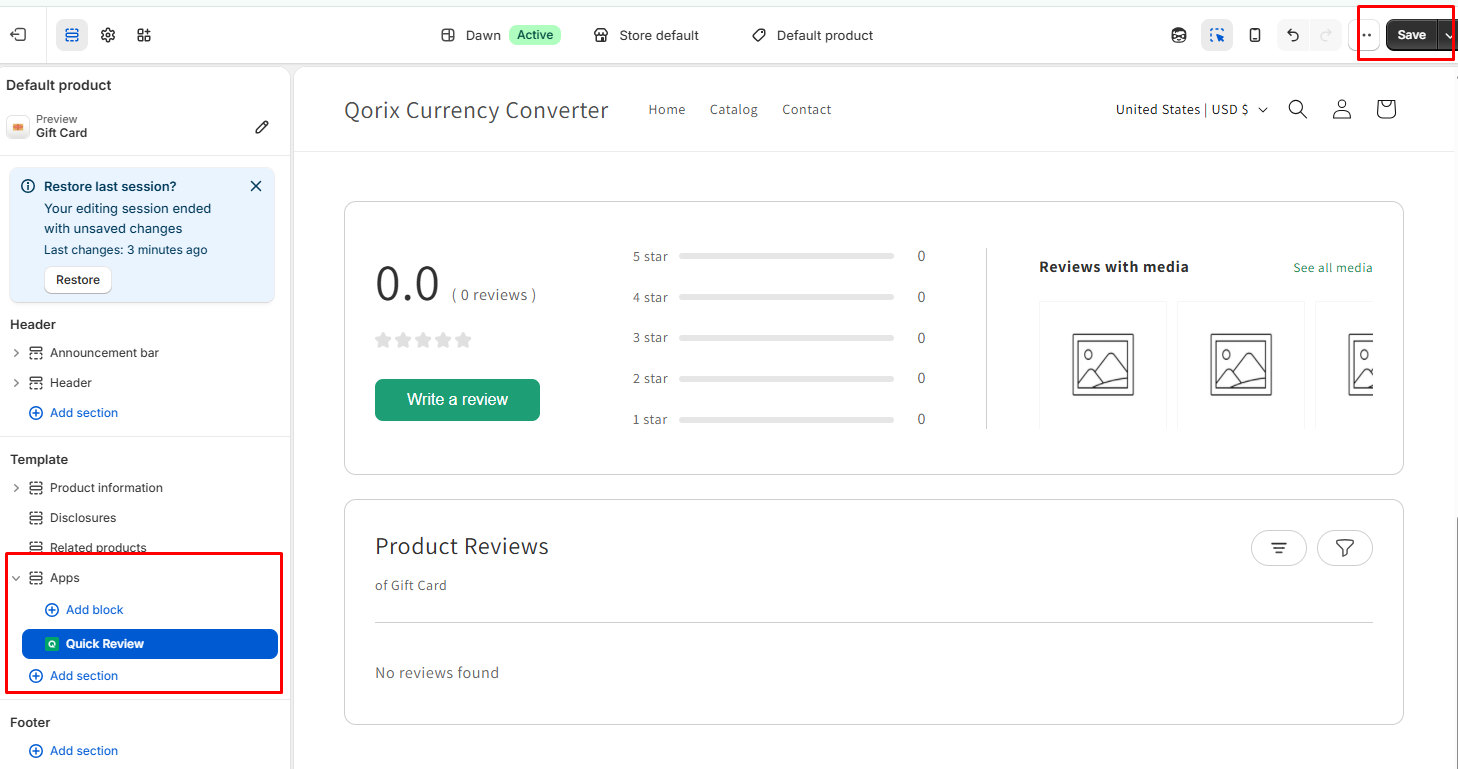
In the Theme Editor left sidebar under Apps, add the Quick Review block to your desired section on the product page layout. Once positioned, click the Save button in the top-right corner.
Step 3: Verify Setup
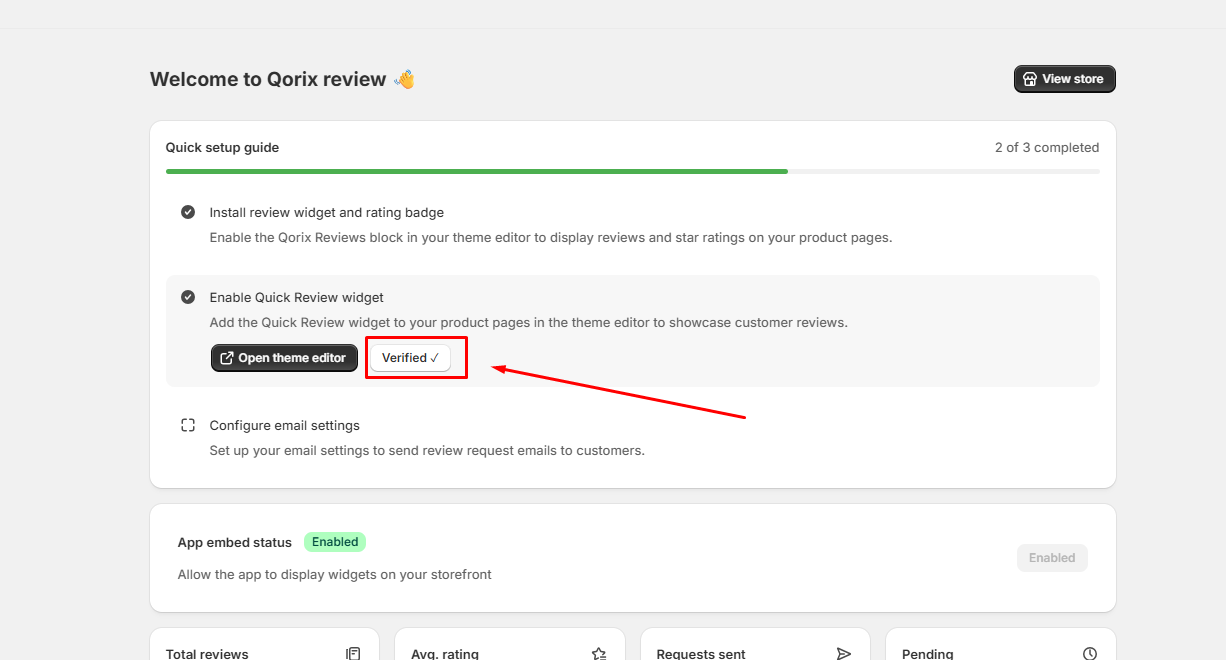
Navigate back to the app dashboard and click Verify Setup. The widget status will update to Verified once confirmed.
Configure Email Settings
Configure your email server and send automated review request emails to your customers.
Step 1: Go to Settings
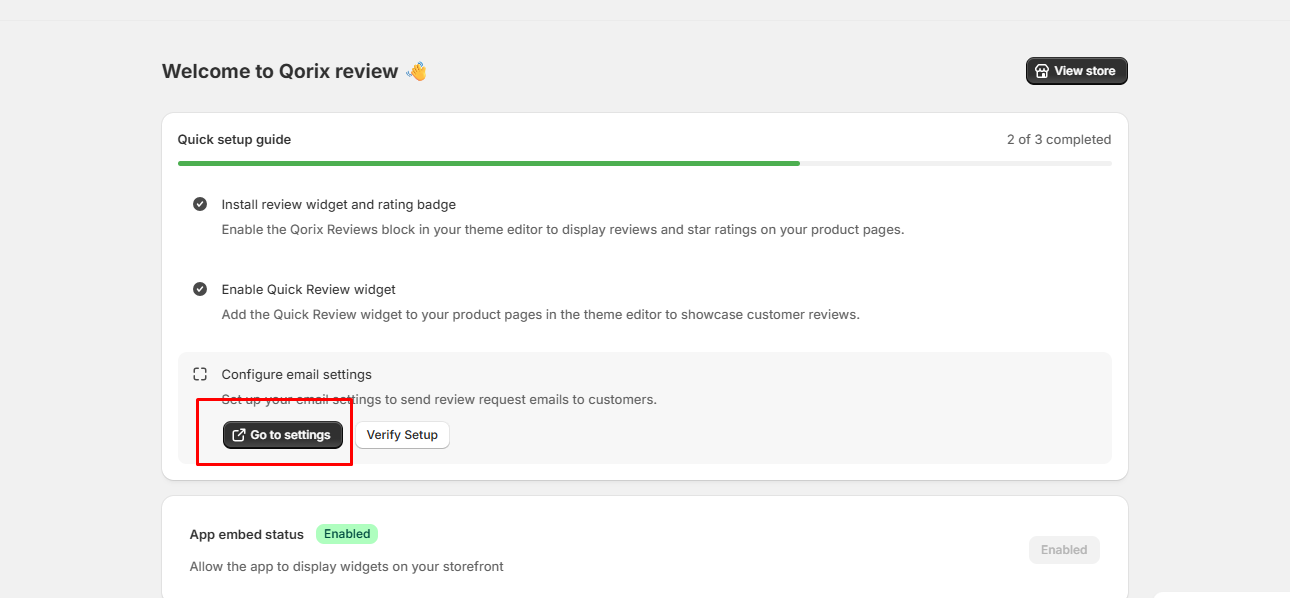
Click the Go to settings button under the Configure email settings section in the Quick setup guide.
Step 2: Enter SMTP Credentials
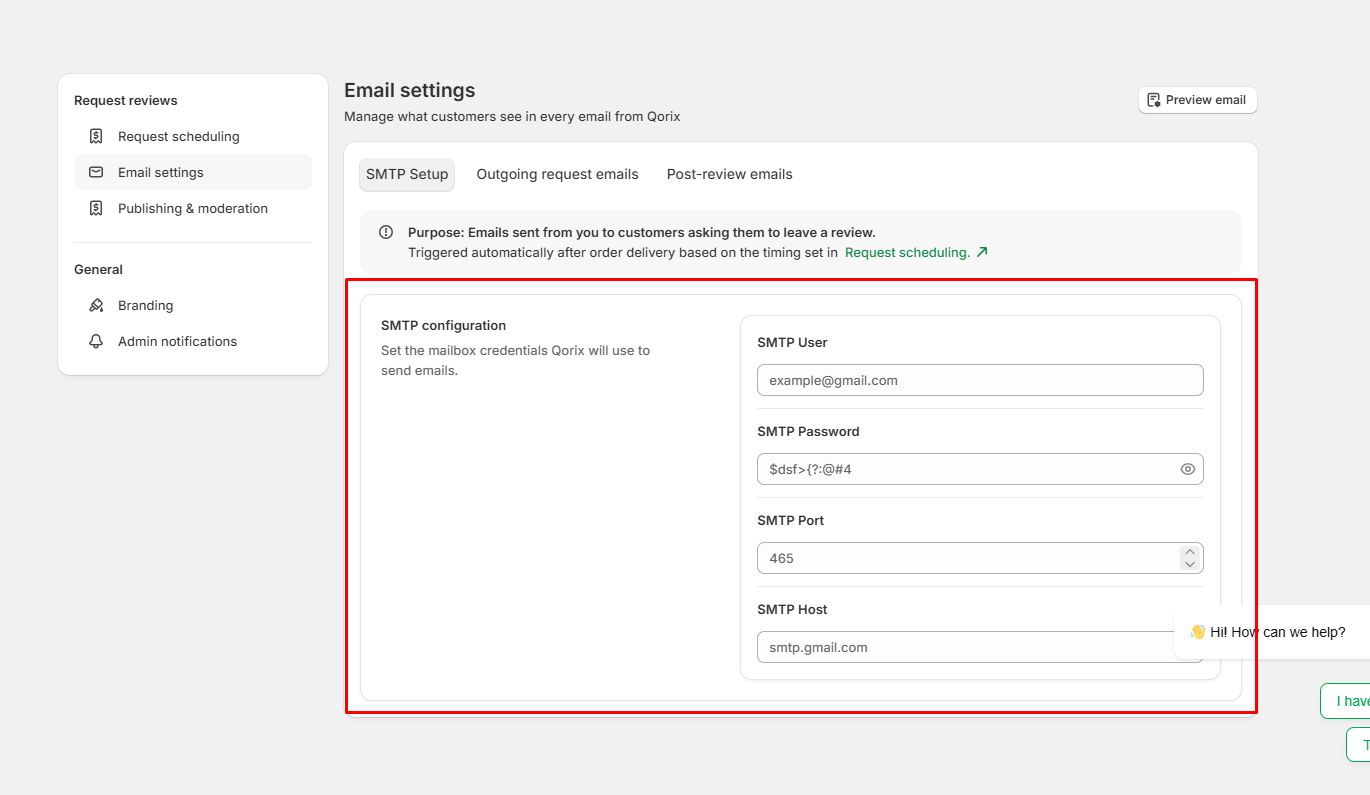
Under the SMTP Setup tab, fill in your email server credentials: SMTP User, SMTP Password, SMTP Port, and SMTP Host.
Step 3: Save & Verify Setup
Save your settings, then return to the app dashboard and click Verify Setup. The status will change to Verified upon successful configuration.
After setup, add review widgets to your storefront. Start with the Dashboard to see everything in one place. For help, Contact Us.