ReviewReel
ReviewReel displays customer reviews in a visual slider, allowing customers to browse reviews with images and videos directly on the storefront.
Header
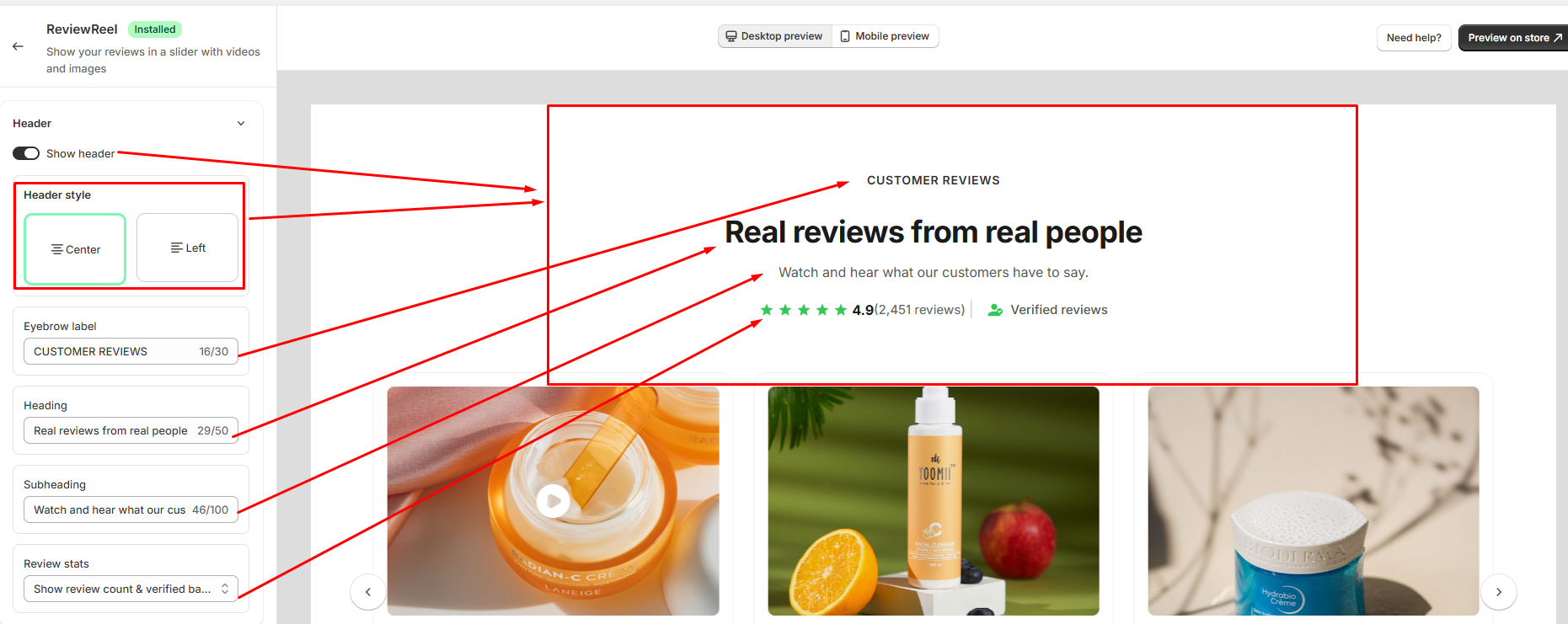
The Header section allows you to customize the heading area displayed above the review slider.
- Show header: Turn this on to display the ReviewReel header section. Turn it off to hide the entire header.
- Header style — choose how the header content is aligned
- Center: Aligns the header content to the center.
- Left: Aligns the header content to the left.
- Eyebrow label: Customize the small label displayed above the main heading, such as "CUSTOMER REVIEWS."
- Heading: Customize the main heading displayed in the ReviewReel section, such as "Real reviews from real people."
- Subheading: Customize the supporting text displayed below the main heading.
- Review stats: Choose which review information is displayed in the header, such as the review count, average rating, and verified reviews information.
Display Elements
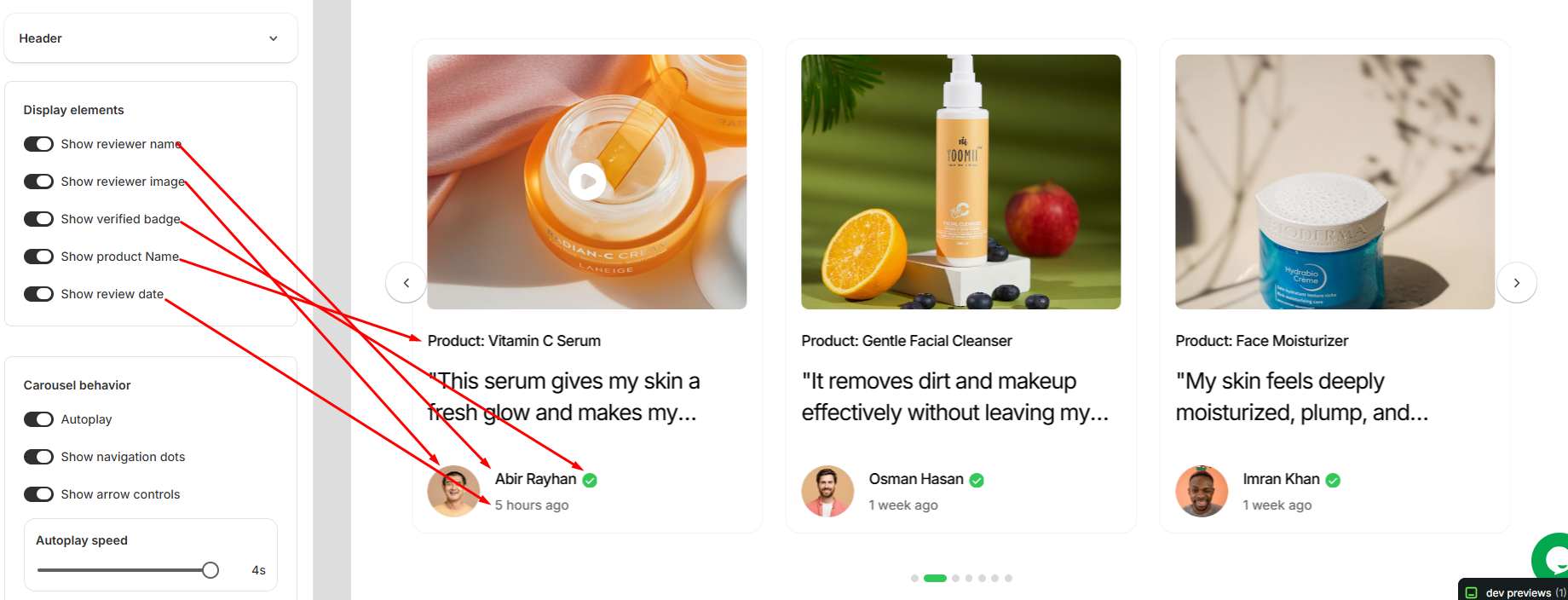
- Show reviewer name: Turn this on to display the customer's name on each review card. Turn it off to hide the reviewer's name.
- Show reviewer image: Turn this on to display the customer's profile image on each review card. Turn it off to hide the reviewer's image.
- Show verified badge: Turn this on to display a verified badge next to verified reviewers. Turn it off to hide the badge.
- Show product name: Turn this on to display the product name associated with each review. Turn it off to hide the product name.
- Show review date: Turn this on to display when the review was submitted. Turn it off to hide the review date.
Carousel Behavior
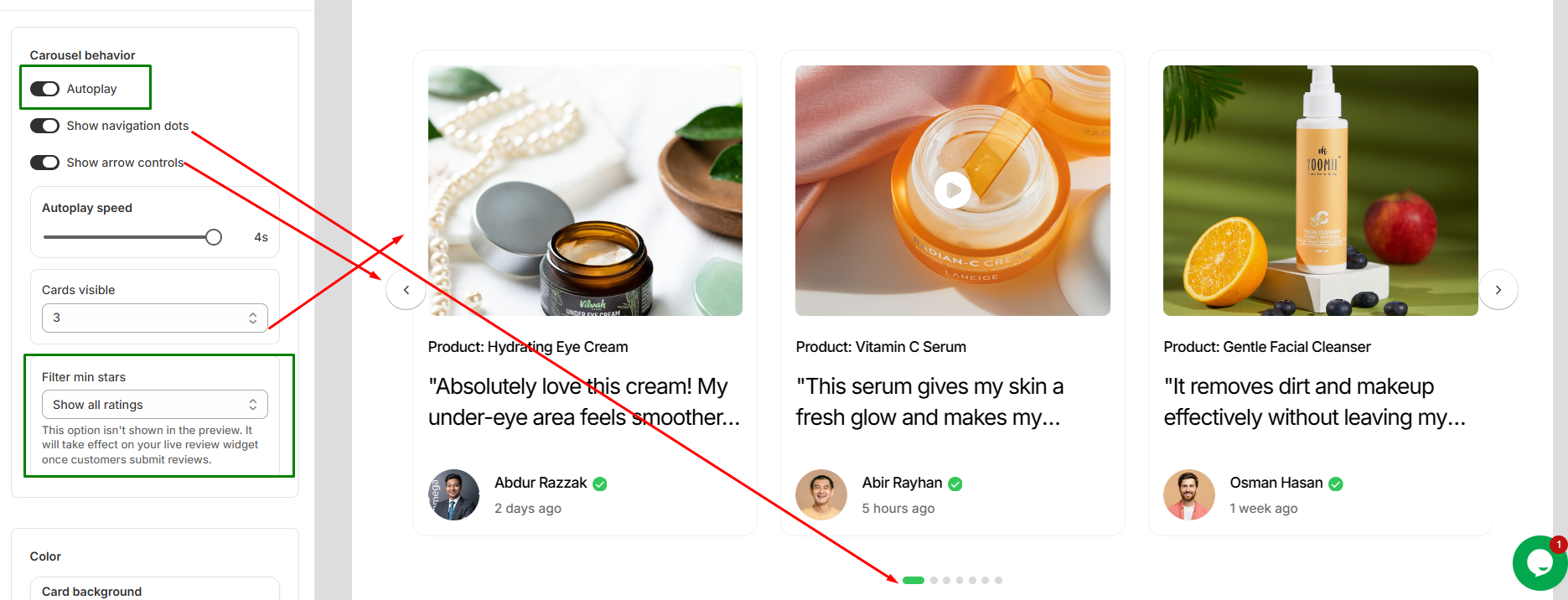
- Autoplay: Turn this on to automatically rotate through review cards. Turn it off to keep the carousel static.
- Show navigation dots: Turn this on to display navigation dots below the review carousel. Turn it off to hide them.
- Show arrow controls: Turn this on to display left and right arrows for manually navigating between reviews. Turn it off to hide the arrows.
- Autoplay speed: Adjust how long each review card remains visible before the carousel automatically moves to the next one.
- Cards visible: Choose how many review cards are displayed at the same time in the carousel.
- Filter min stars: Set the minimum star rating required for reviews to appear in the carousel. This setting applies to the live review widget after customers submit reviews.
Color
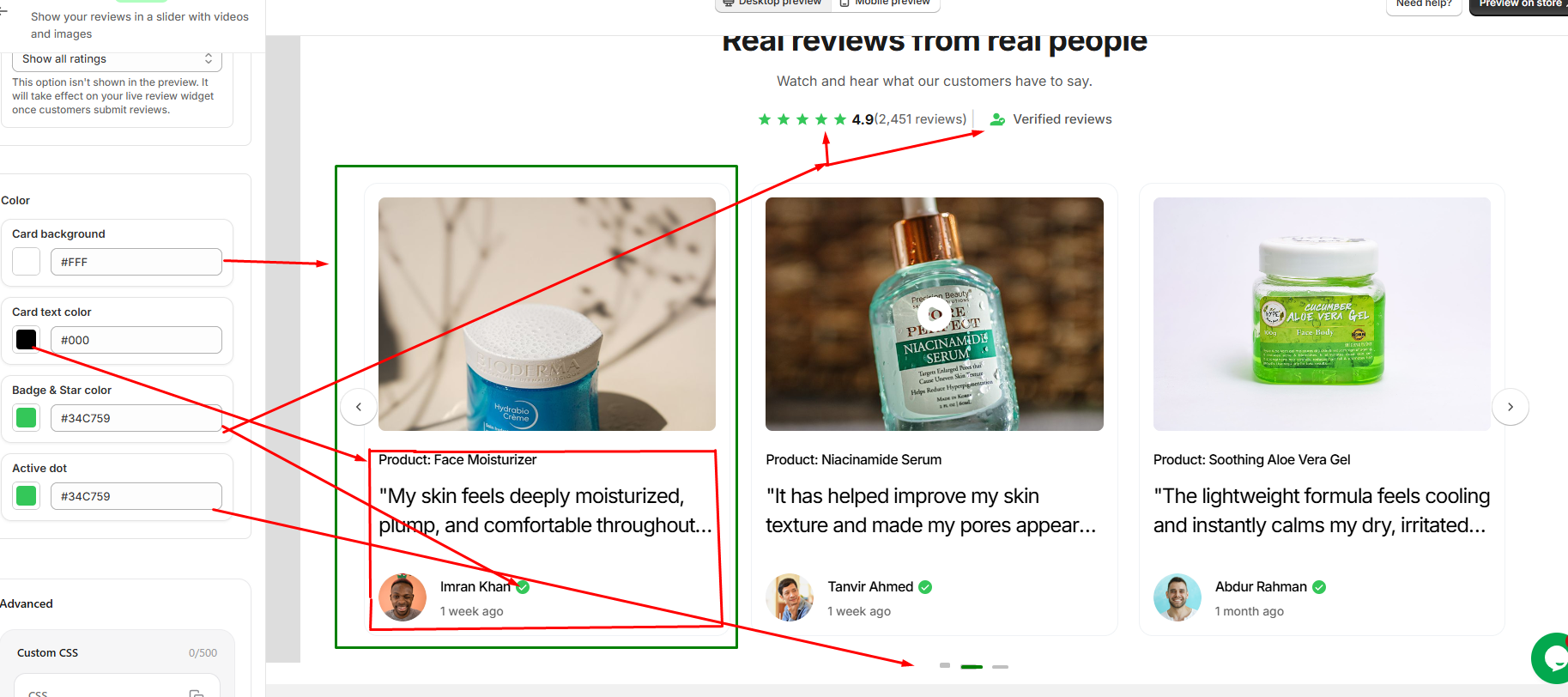
- Card background: Customize the background color of each review card.
- Card text color: Customize the text color used throughout the review cards.
- Badge & Star color: Customize the color of the review stars and verified badges.
- Active dot: Customize the color of the active navigation dot in the carousel.
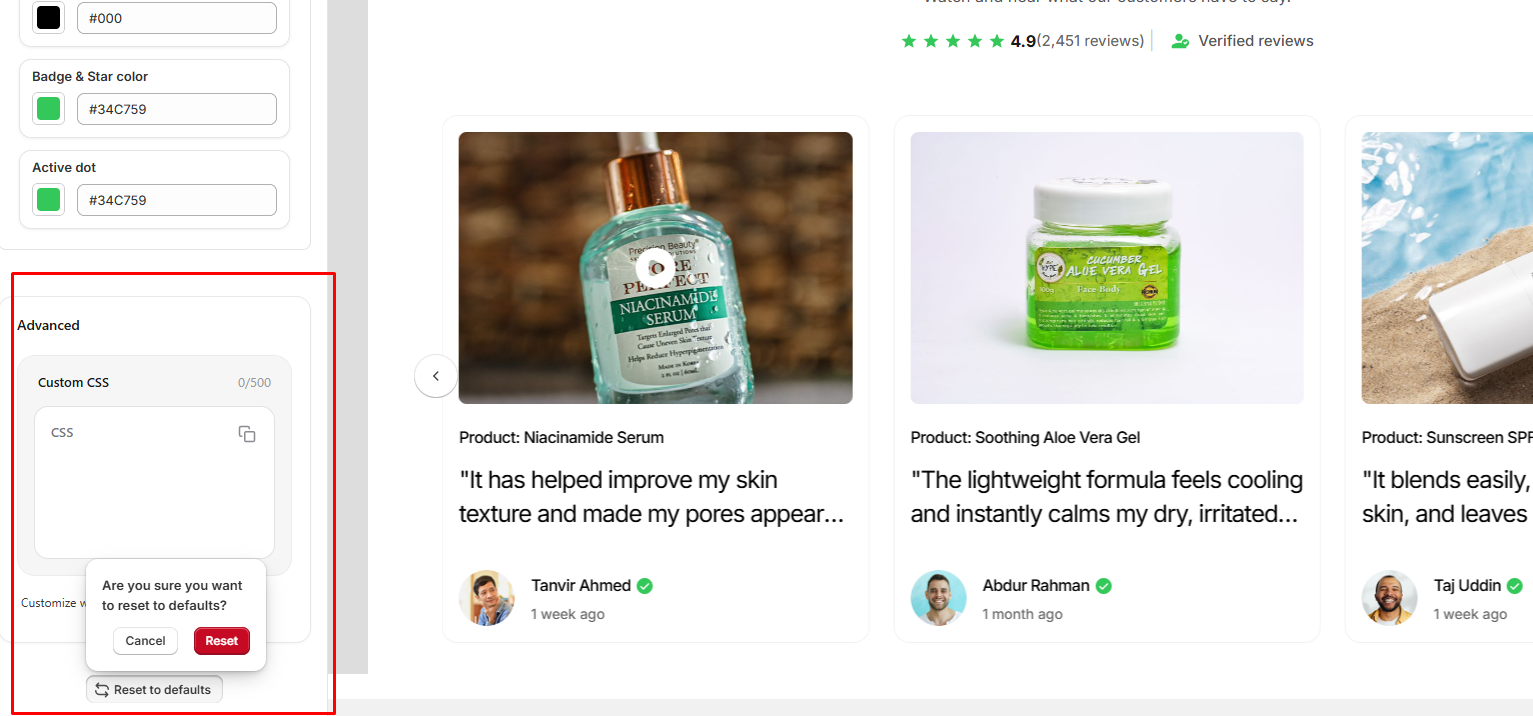
Advanced
The Advanced section provides additional customization options for the review widget.
- Custom CSS: Add your own CSS code to customize the appearance and styling of the review widget beyond the available settings. You can use custom CSS to make more specific design adjustments to match your store's theme.
- Reset to defaults: Reset all review customization settings to their default values. A confirmation is required before the settings are reset.