TrustBar
The TrustBar displays product rating information and review counts on your storefront, helping customers quickly understand your product's review performance.
Contents
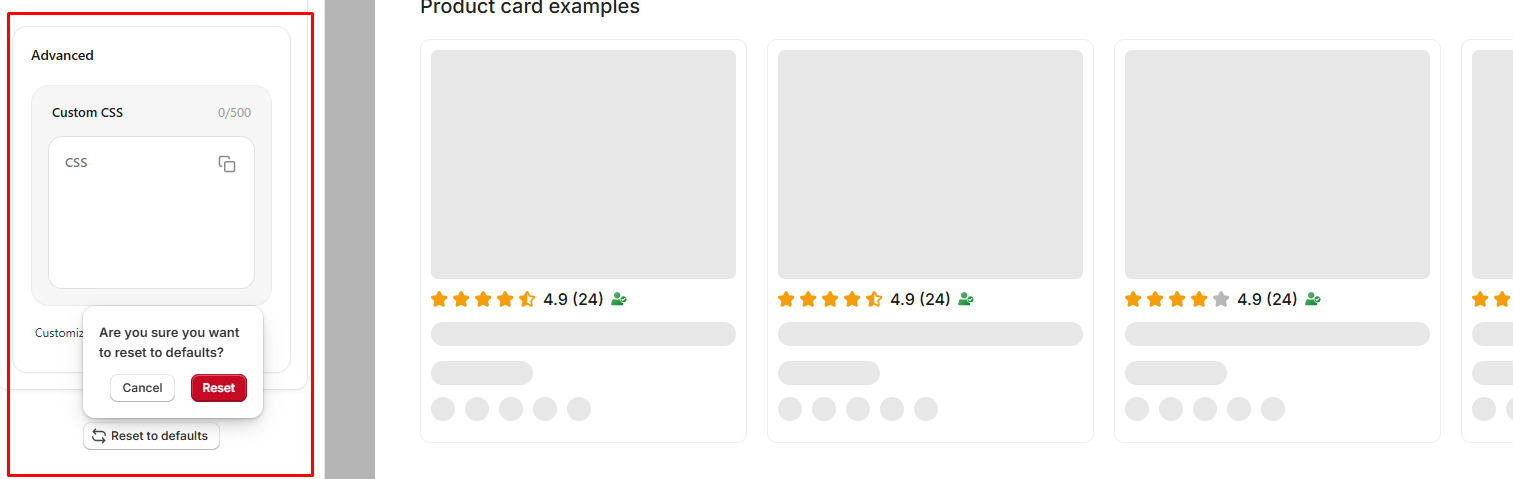
- Show average rating: Turn this on to display the product's average star rating. Turn it off to hide the average rating.
- Show review count: Turn this on to display the total number of product reviews. Turn it off to hide the review count.
- Show verified badge: Turn this on to display the Verified reviews badge. Turn it off to hide the verified badge.
- Show only verified icon: Turn this on to display only the verified icon instead of the full verified reviews label. Turn it off to display the standard verified badge.
Colors
- Star color: Customize the color of the star rating displayed in the TrustBar.
- Text color: Customize the color of the rating, review count, and other text displayed in the TrustBar.
- Verified badge color: Customize the color of the verified badge and icon displayed in the TrustBar.
Typography
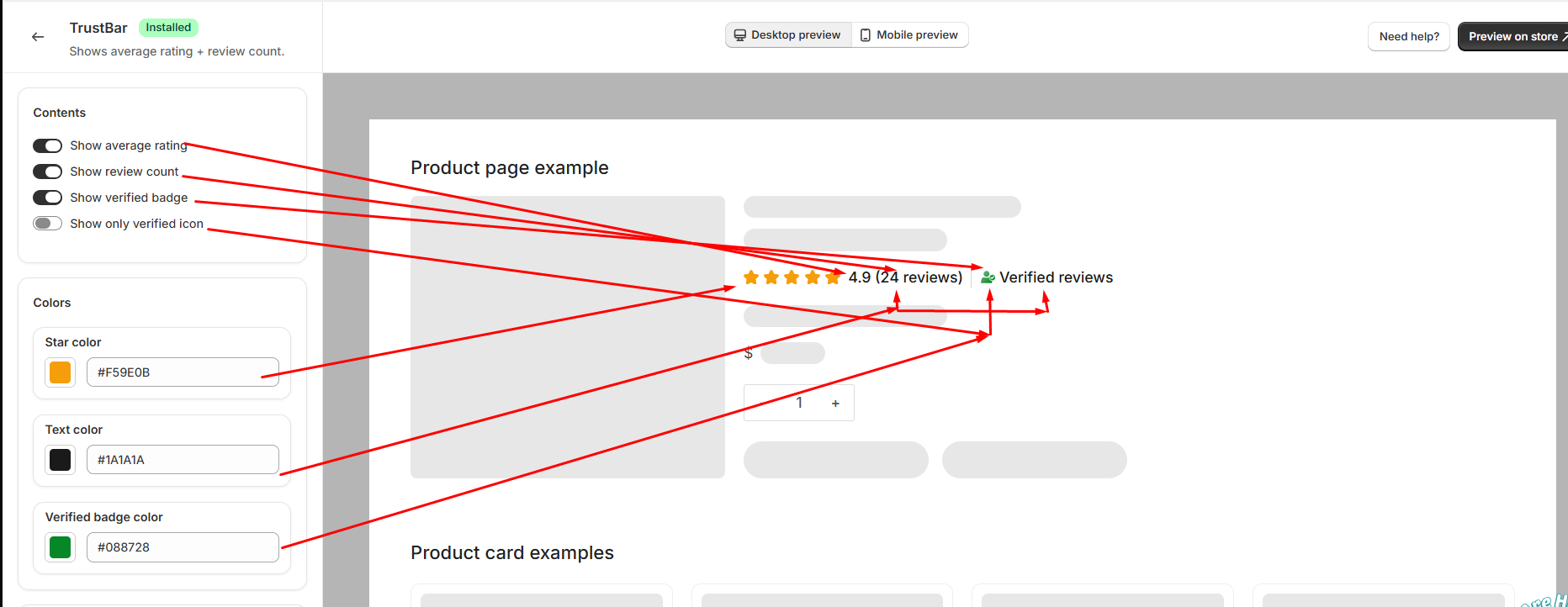
The Typography settings allow you to adjust the text and star appearance of the TrustBar.
- Font size: Adjust the size of the text displayed in the TrustBar.
- Star size: Adjust the size of the star rating icons.
- Font weight: Choose the font weight used for the TrustBar text.
Visibility
- Hide if no reviews: Turn this on to automatically hide the TrustBar when the product has no reviews. Turn it off to keep the TrustBar visible even when there are no reviews.
Ratings on Product Cards
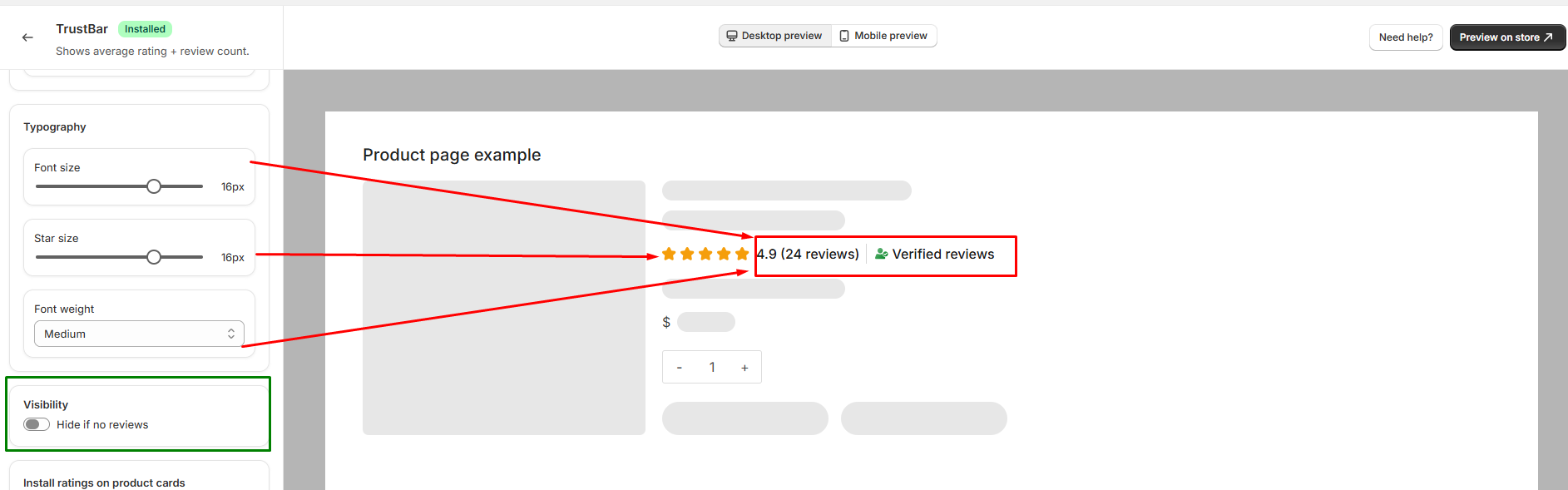
The Ratings on Product Cards feature allows you to display product ratings and review counts directly on product cards across your storefront.
To enable this feature, a one-time code snippet needs to be added to your theme. This setup only needs to be completed once.
Installation
- Copy the provided code snippet from the TrustBar settings.
- Go to Online Store → Themes → Edit code in your Shopify admin.
- Open the product card template file where you want the ratings to appear.
- Paste the copied snippet in the desired location within the product card template.
- Save the changes. The product rating, review count, and verified indicator will then appear on the selected product cards.
Note: The code snippet uses the product's review data to display the average rating and total review count automatically.
Advanced
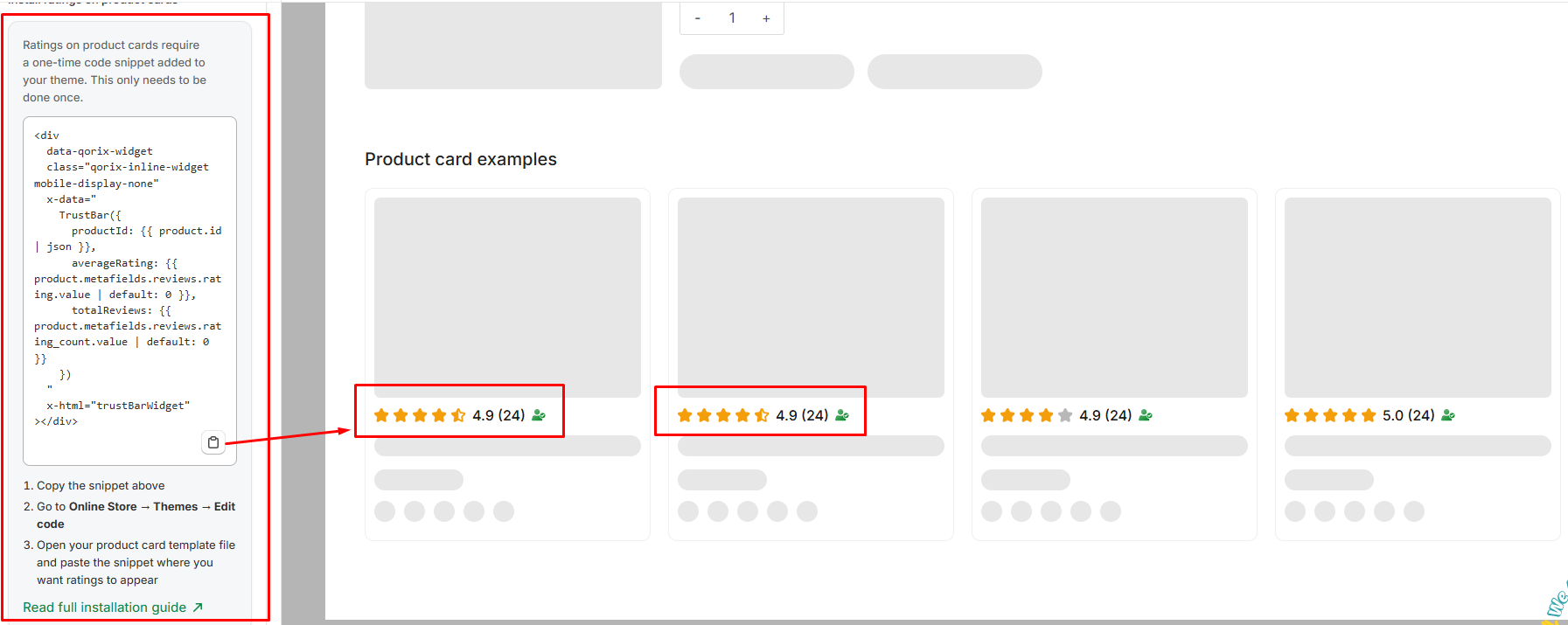
The Advanced section provides additional customization options for the review widget.
- Custom CSS: Add your own CSS code to customize the appearance and styling of the review widget beyond the available settings. You can use custom CSS to make more specific design adjustments to match your store's theme.
- Reset to defaults: Reset all review customization settings to their default values. A confirmation is required before the settings are reset.