Dashboard
Monitor review performance, app embed status, recent feedback, and support resources from one place.
Quick Setup Guide
The Quick Setup Guide helps you easily install and configure Qorix Reviews on your Shopify store. Complete these simple steps to enable review widgets, display star ratings, and automate review request emails for authentic customer feedback.
Enable App Embed
Follow these steps to activate the app embed on your Shopify theme.
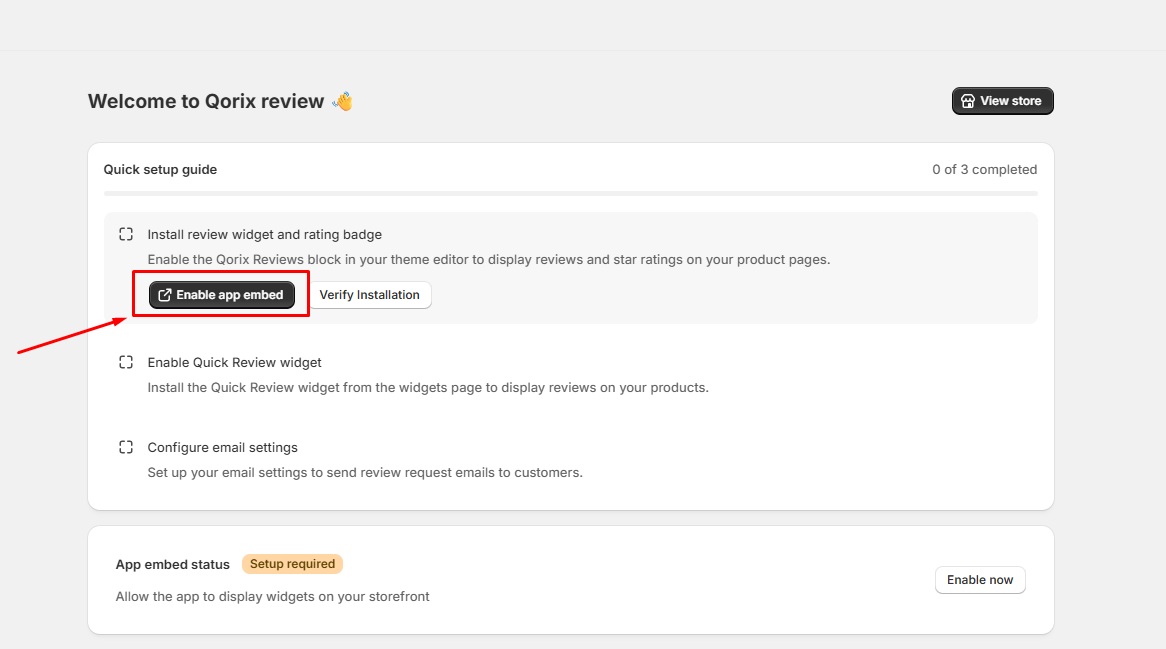
Step 1: Open Theme Editor
Click the Enable app embed button on the Quick setup guide page. This will automatically redirect you to your Shopify Theme Editor.
Step 2: Enable & Save
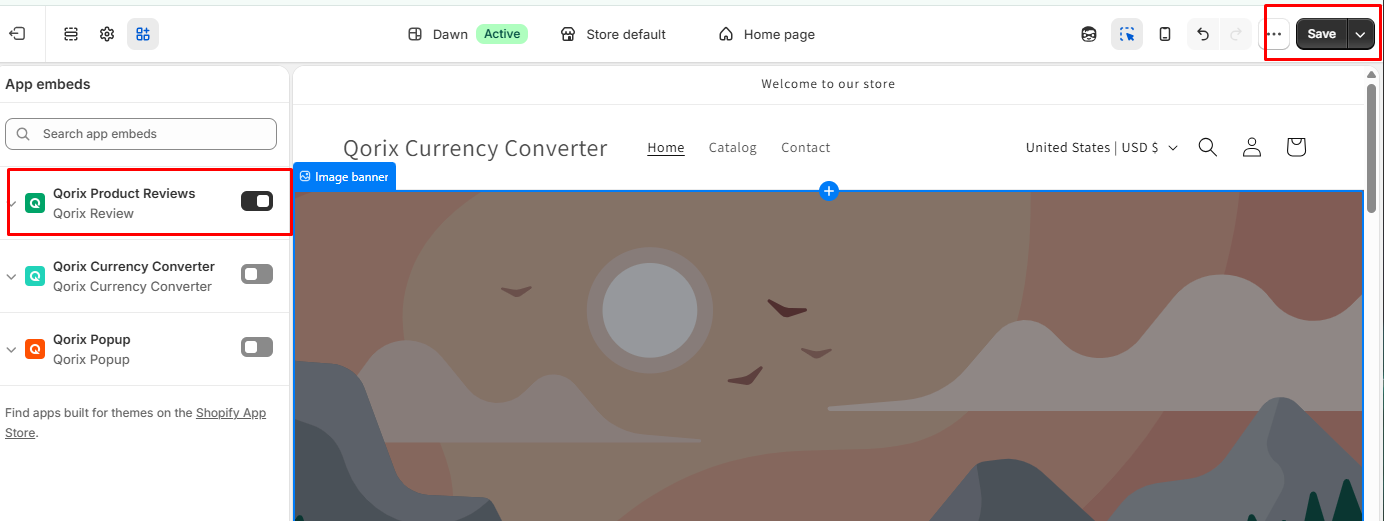
In the Theme Editor sidebar under App embeds, toggle on the Qorix Product Reviews switch. Then click the Save button in the top-right corner.
Step 3: Verify Installation
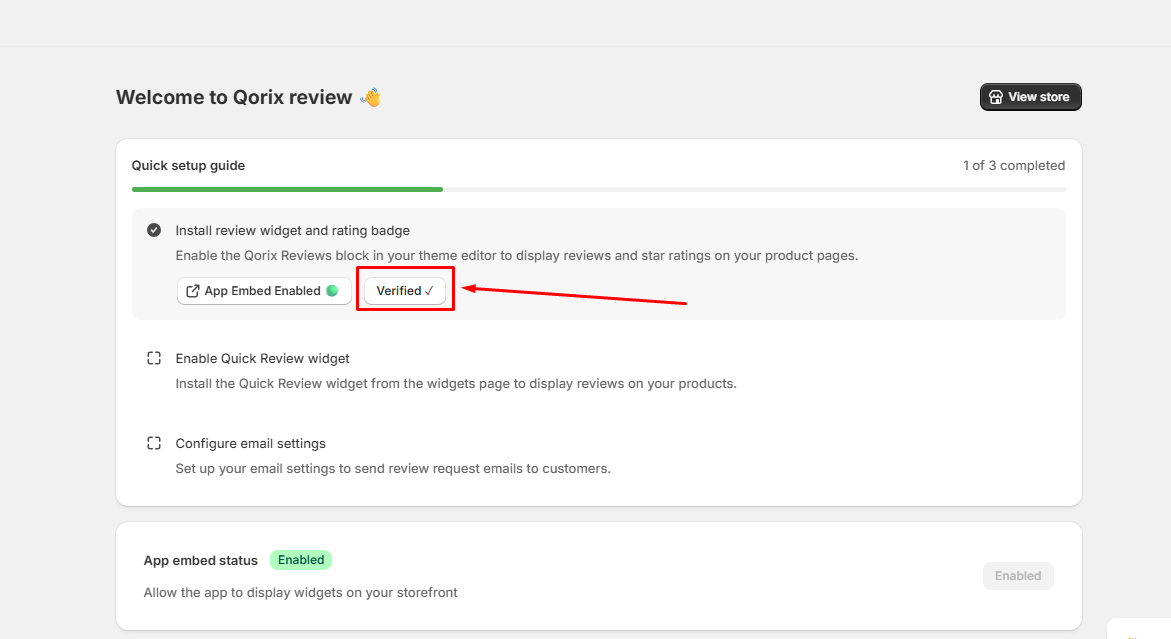
Return to the app dashboard and click Verify Installation. Once verified, the status will show Verified and App Embed Enabled.
Enable Quick Review Widget
Add the Quick Review block to your desired section on the product page layout.
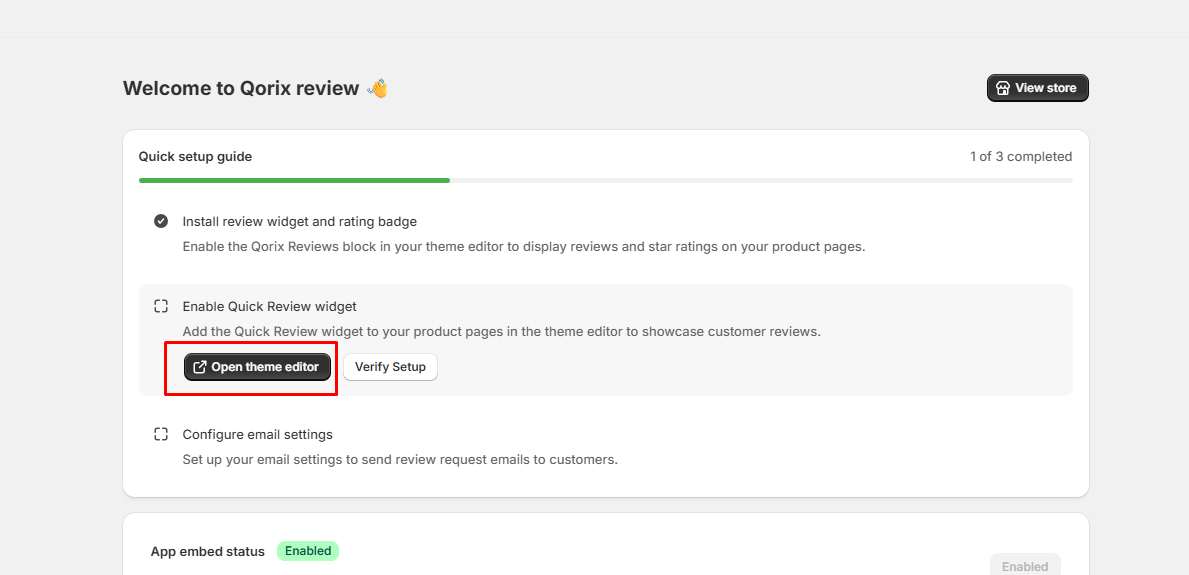
Step 1: Open Theme Editor
Click the Open theme editor button under the Enable Quick Review widget section in the Quick setup guide. This will launch your Shopify Theme Editor directly on the product template page.
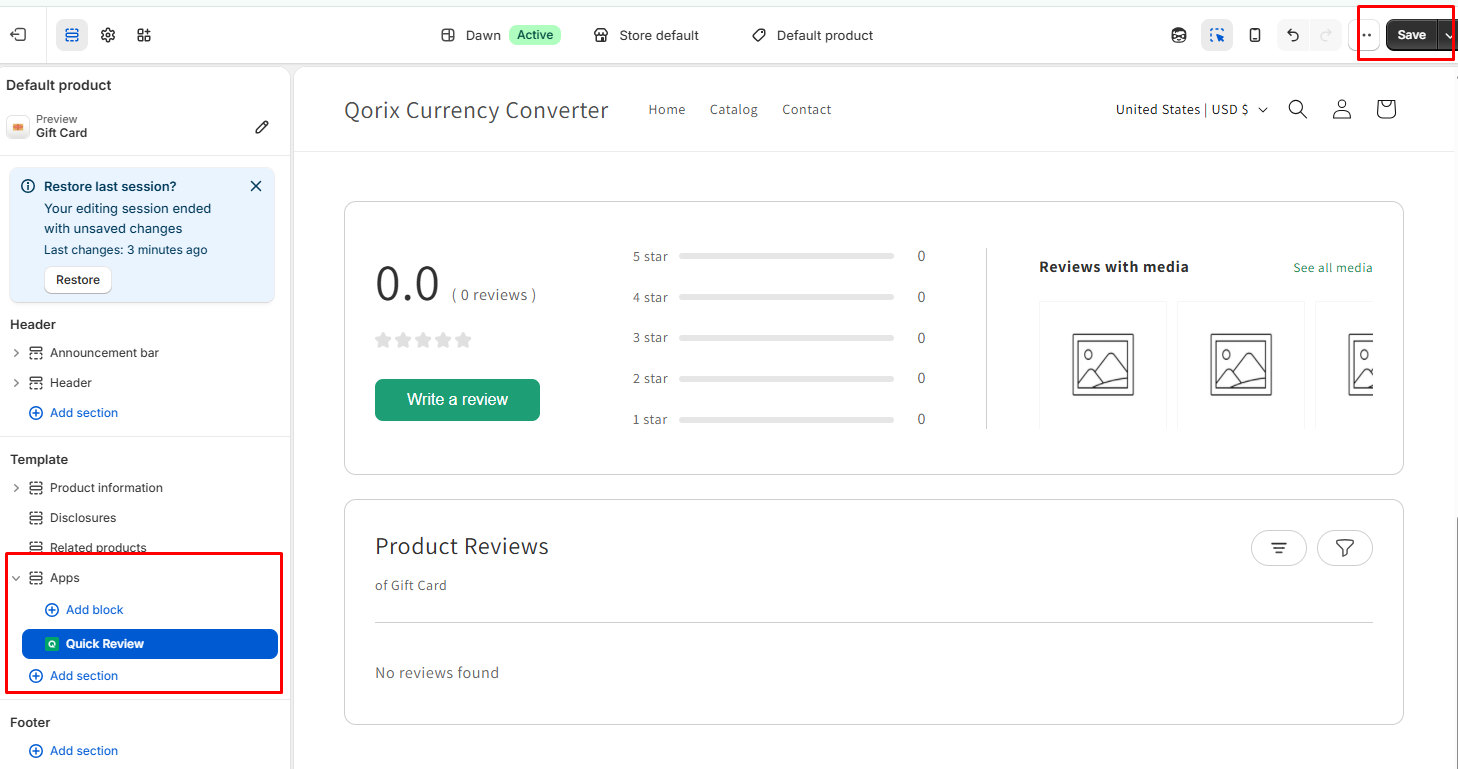
Step 2: Add Block & Save
In the Theme Editor left sidebar under Apps, add the Quick Review block to your desired section on the product page layout. Once positioned, click the Save button in the top-right corner.
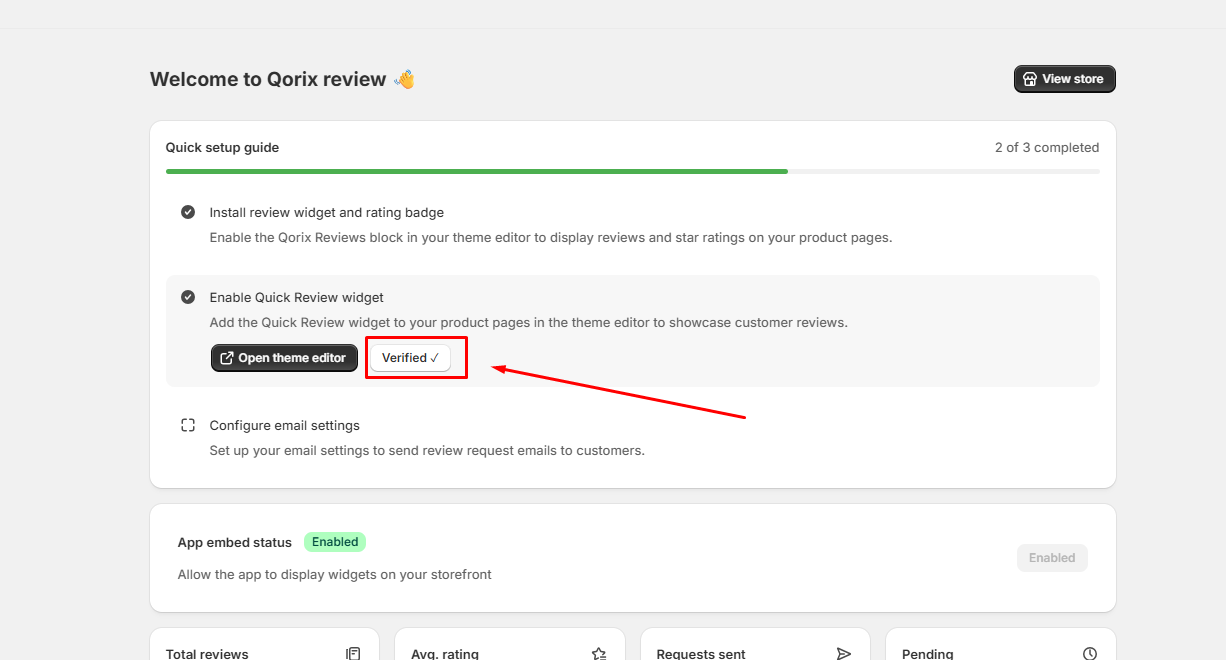
Step 3: Verify Setup
Navigate back to the app dashboard and click Verify Setup. The widget status will update to Verified once confirmed.
Configure Email Settings
Configure your email server and send automated review request emails to your customers.
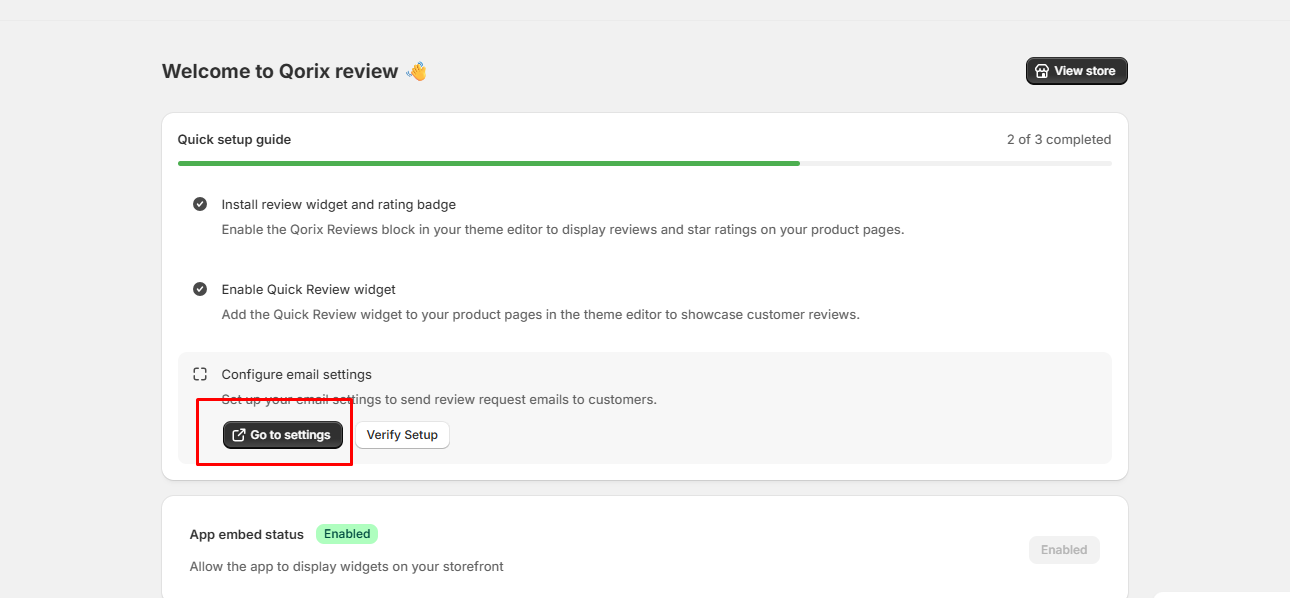
Step 1: Go to Settings
Click the Go to settings button under the Configure email settings section in the Quick setup guide.
Step 2: Enter SMTP Credentials
Under the SMTP Setup tab, fill in your email server credentials: SMTP User, SMTP Password, SMTP Port, and SMTP Host.
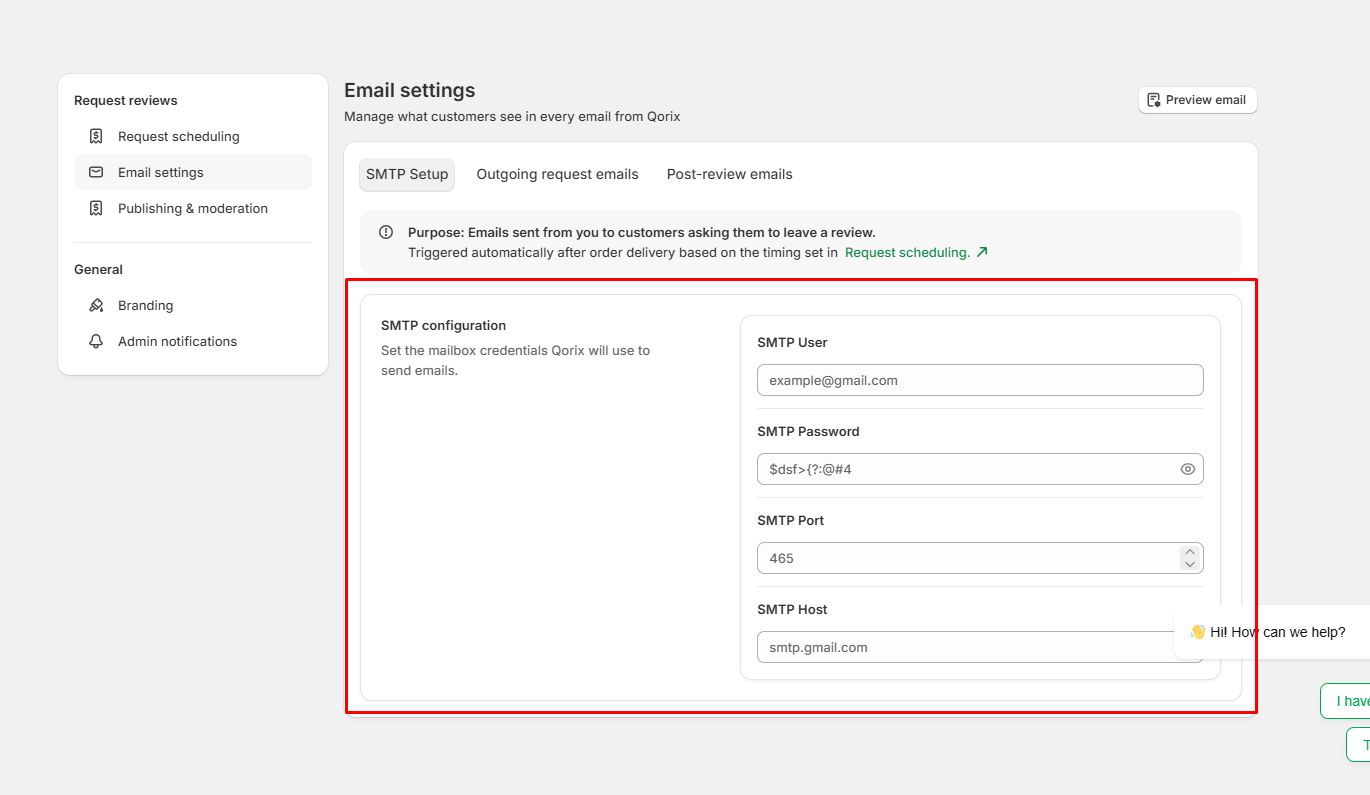
Step 3: Save & Verify Setup
Save your settings, then return to the app dashboard and click Verify Setup. The status will change to Verified upon successful configuration.
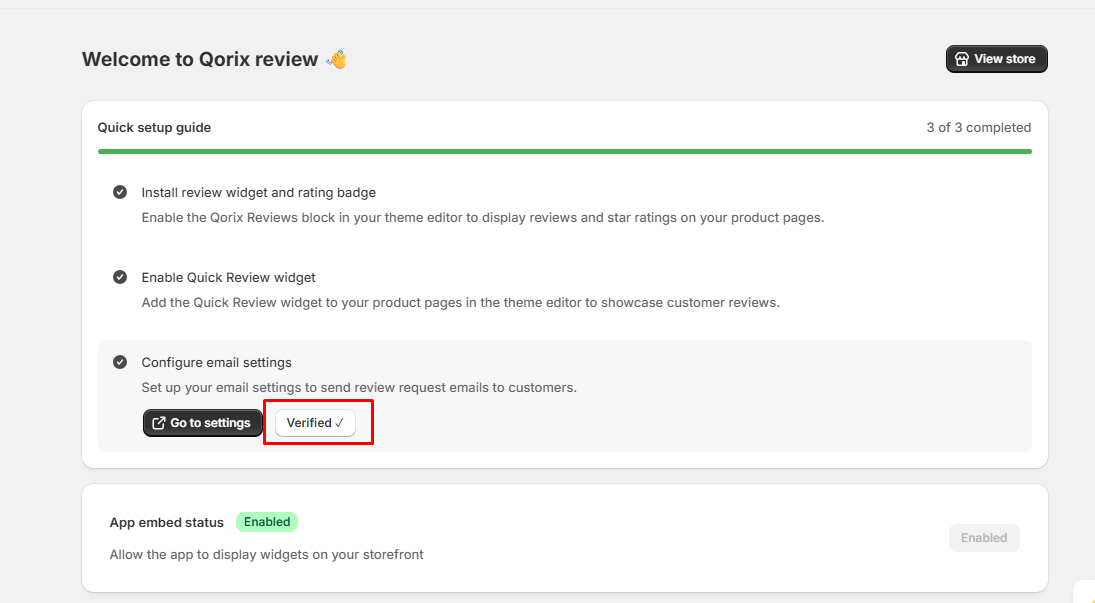
App Embed Status & Analytics Dashboard
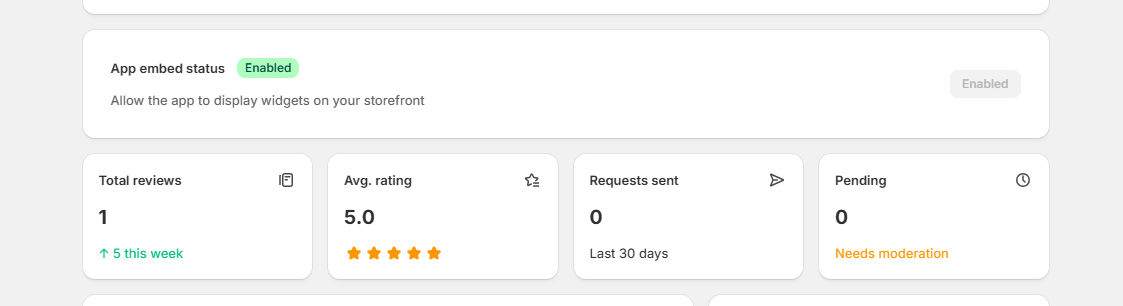
- App embed status: Displays whether the app embed is currently enabled or disabled. Turning this on allows review widgets to be displayed on your live storefront.
- Total reviews: Shows the total count of customer reviews collected by your store, along with recent growth indicators such as weekly increases.
- Avg. rating: Displays the overall average star rating calculated from all published customer reviews.
- Requests sent: Tracks the total number of review request emails sent to customers, such as over the last 30 days.
- Pending: Displays the number of submitted customer reviews currently awaiting moderation before being published on your storefront.
Recent Reviews & Quick Actions Dashboard
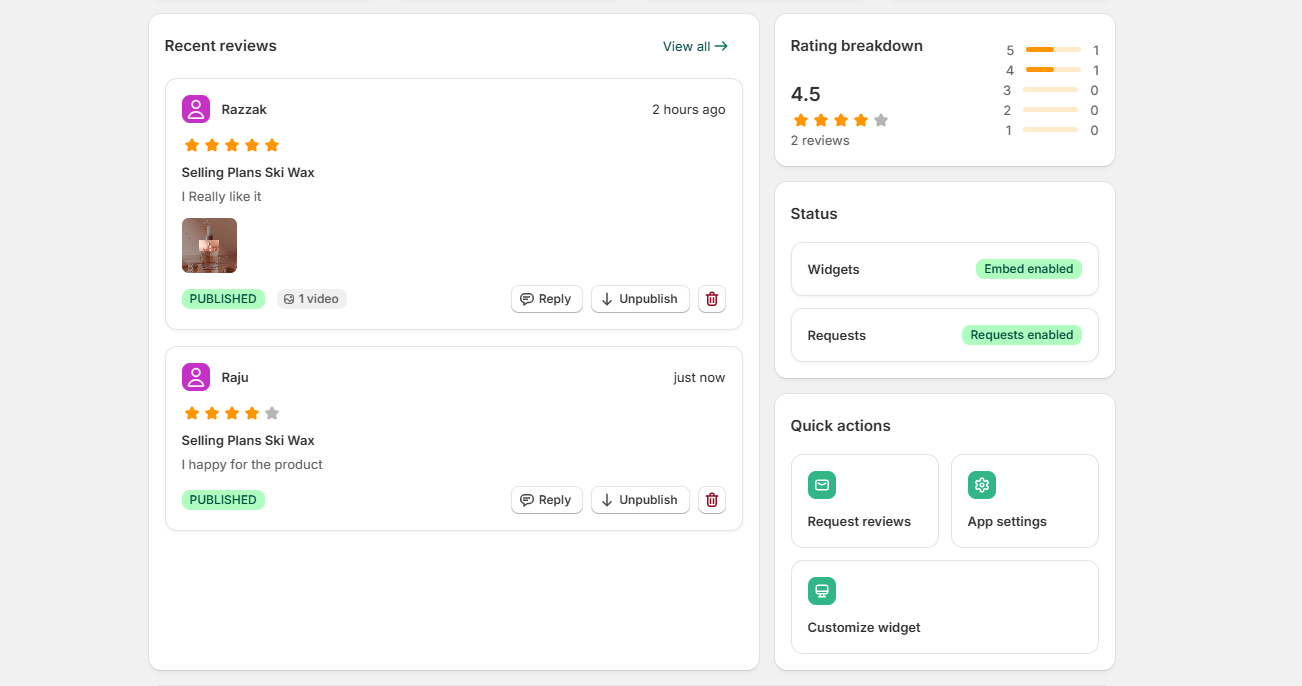
- Recent reviews: Displays a list of newly submitted customer feedback, complete with reviewer names, star ratings, product titles, review text, attached media, and submission times.
- Reply: Allows you to send a direct response to a customer's review.
- Unpublish: Lets you hide a published review from your live storefront.
- Delete: Permanently removes the review entry.
- View all: Redirects you to the full reviews management page.
- Rating breakdown: Shows an overview of customer feedback distribution by star count, from 5-star down to 1-star, alongside the average rating score and total review count.
- Status: Displays the current operational status for key app features.
- Widgets: Shows whether storefront review widgets are currently enabled.
- Requests: Shows whether automated review request emails are active.
- Quick actions: Provides fast shortcuts to essential configuration pages.
- Request reviews: Navigate directly to review request scheduling and automation settings.
- App settings: Access general app preferences and integrations.
- Customize widget: Modify the visual appearance, layout, and colors of your storefront review widgets.
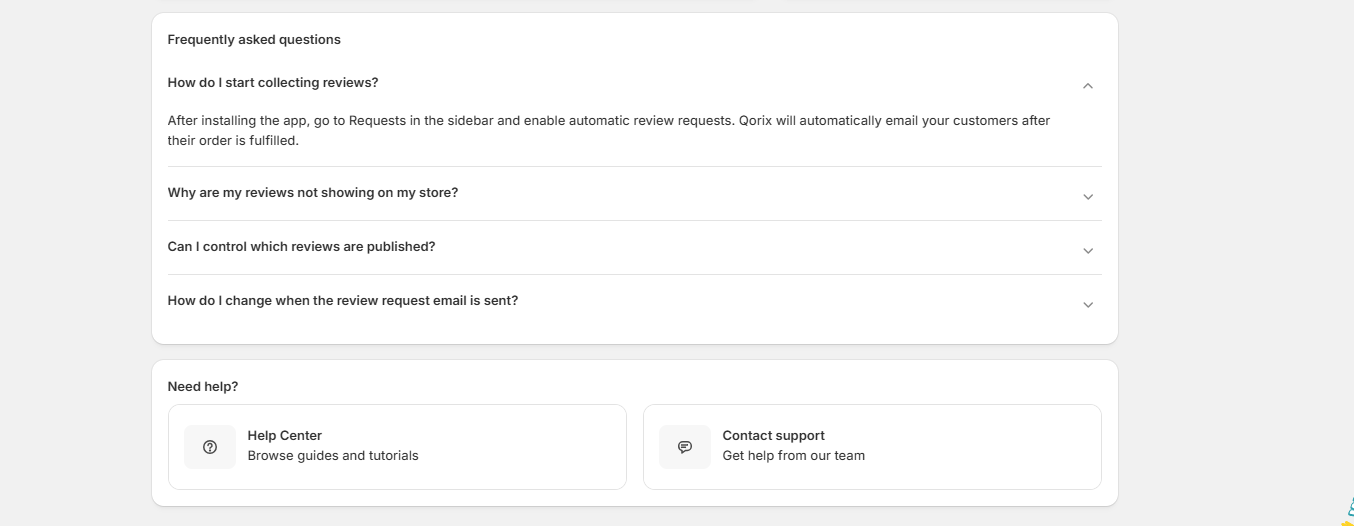
Frequently Asked Questions (FAQ) Section Overview
This section addresses common user queries regarding review collection, storefront display troubleshooting, moderation controls, and email scheduling. It serves as a quick self-service resource to help merchants configure features and resolve setup issues without delay.
- Help Center: Access detailed step-by-step documentation and tutorials.
- Contact Support: Reach out directly to the support team for personalized technical assistance.