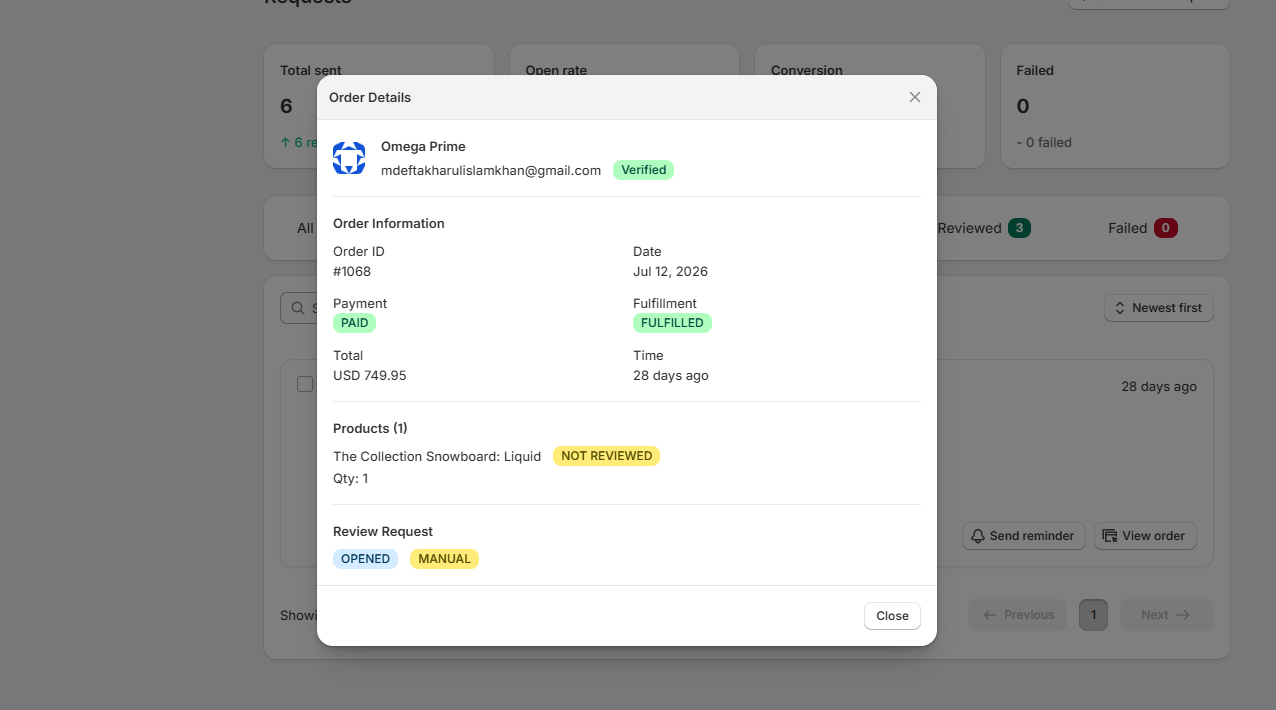
Review Requests Management Page
The Requests Management Page allows merchants to automate, track, and send review invitation emails to customers after order fulfillment. It provides real-time performance analytics and detailed status tracking for every review request sent.
- Send Manual Request: Allows you to manually send review request emails to specific customers.
- Key Analytics Cards
- Total Sent: Displays the total number of review request emails delivered to customers.
- Open Rate: Shows the percentage and count of review emails opened by recipients.
- Conversion: Tracks the percentage and count of customers who completed a review after opening the email.
- Failed: Displays the number of review emails that failed to deliver.
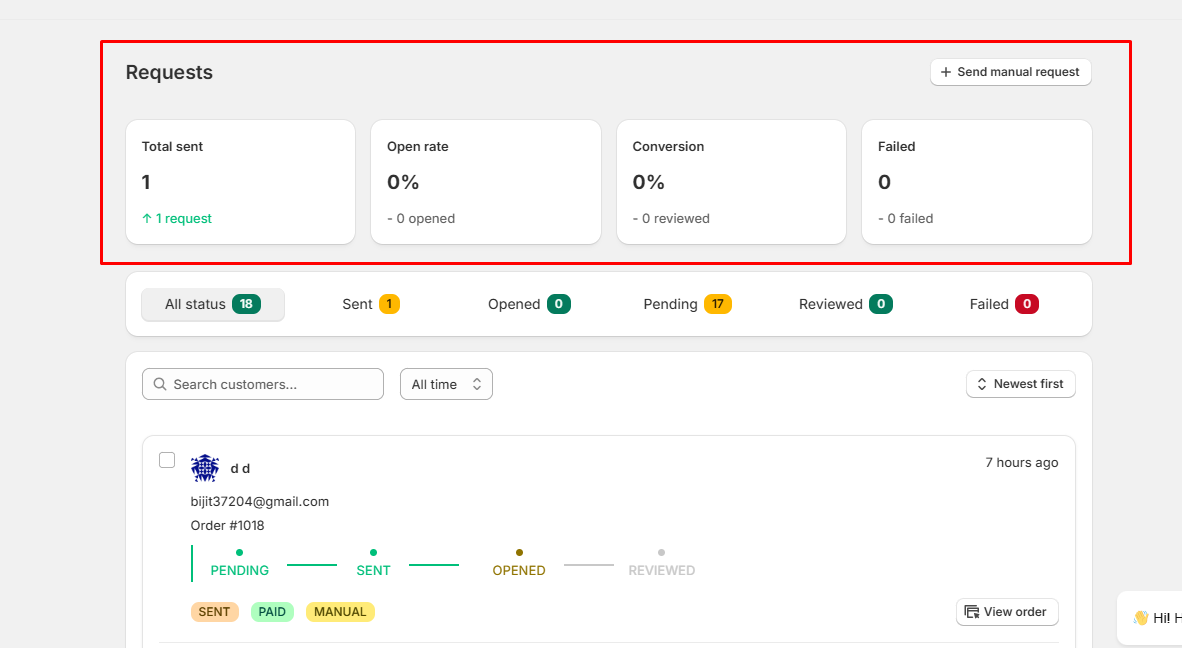
Review Request Status Tab
- All orders: Displays all customer orders and review request entries logged in the store system.
- Sent: Lists all review request emails that have been successfully dispatched to customers.
- Opened: Shows review requests where the customer has clicked the review button or link inside the email.
- Pending: Displays scheduled review requests waiting to be sent based on fulfillment timing settings.
- Reviewed: Contains requests where the customer completed the process and submitted a product review.
- Failed: Tracks requests that could not be delivered due to email server errors or invalid customer details.
- Search & Time Filters: Locate specific logs using customer names/emails, filter by timeframe (e.g., All time), or sort entries (e.g., Newest first).

Customer Request Card
This card tracks the real-time delivery and engagement status of review request emails for individual customer orders.
Customer Details & Order Info
- Customer Name & Email: Displays the customer's full name (e.g., Qorix) and their registered email address.
- Order ID & Payment Status: Shows the specific order reference number (e.g., Order #1068) along with its current payment status badge (e.g., PAID).
- Timeframe: Displays how long ago the order or request log was created (e.g., 28 days ago).
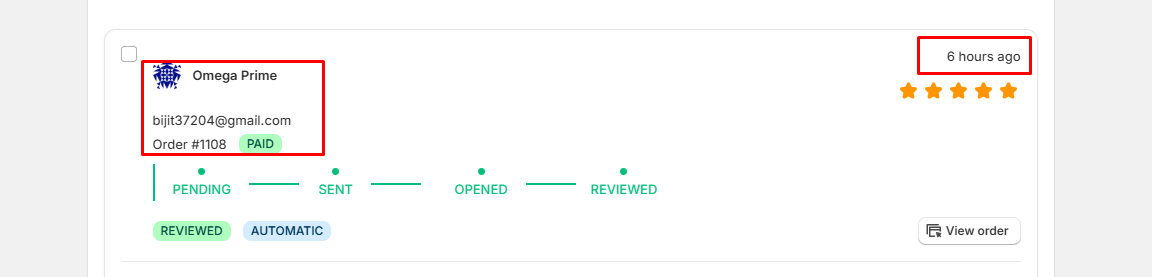
Progress Tracker
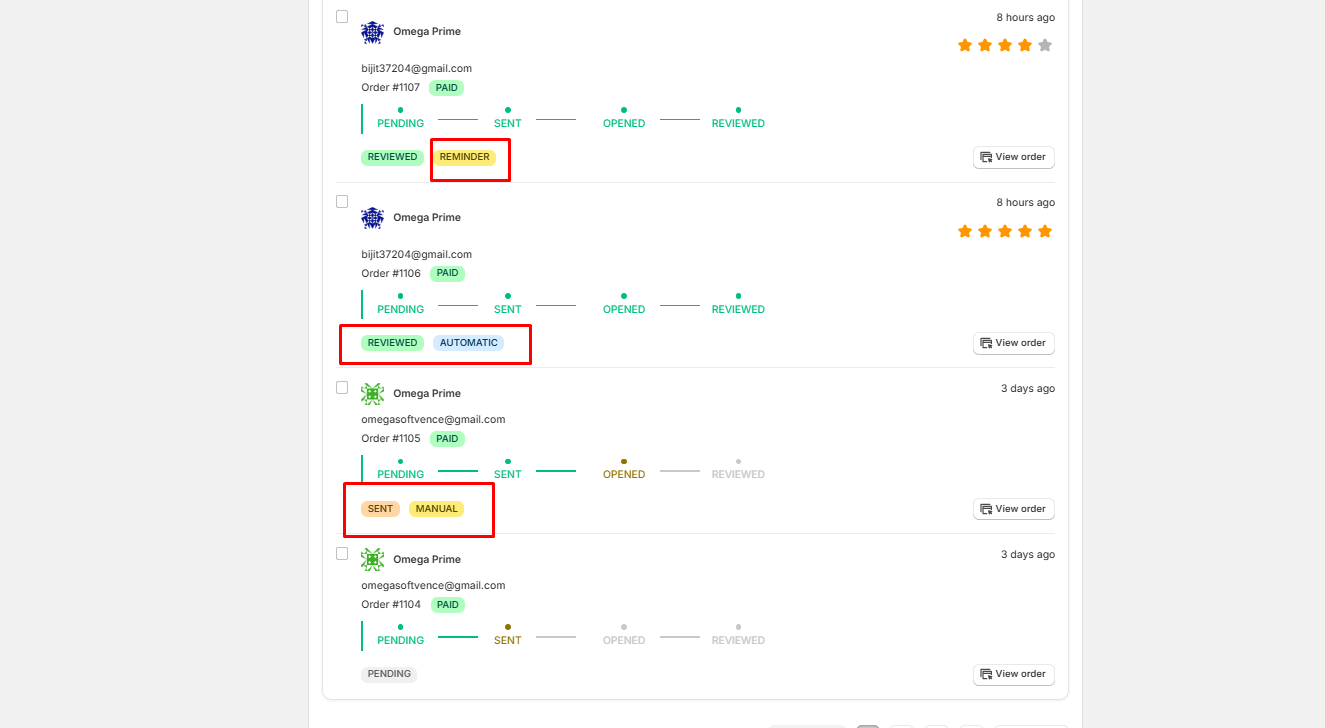
- PENDING: The review request is scheduled in the system but waiting for the designated time delay before sending.
- SENT: The review request email has been successfully dispatched to the customer's inbox.
- OPENED: The customer opened the email and clicked the review call-to-action button/link.
- REVIEWED: The customer accessed the review form and successfully submitted their product review.
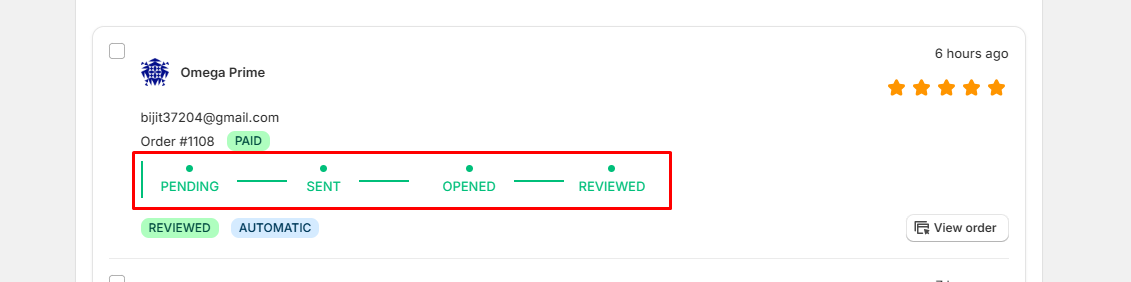
Status Badges
- SENT: The review request email has been successfully dispatched to the customer's inbox.
- OPENED: Indicates that the recipient has opened the review email and clicked the review link.
- REVIEWED: Indicates that the customer has clicked the review link and successfully submitted their product review.
- AUTOMATIC: Indicates that the review request was triggered and sent automatically by the system based on fulfillment rules.
- MANUAL: Indicates that the review request was manually sent by the store administrator.
Action Buttons
- Send reminder: Allows you to send a follow-up email to remind the customer to leave a review.
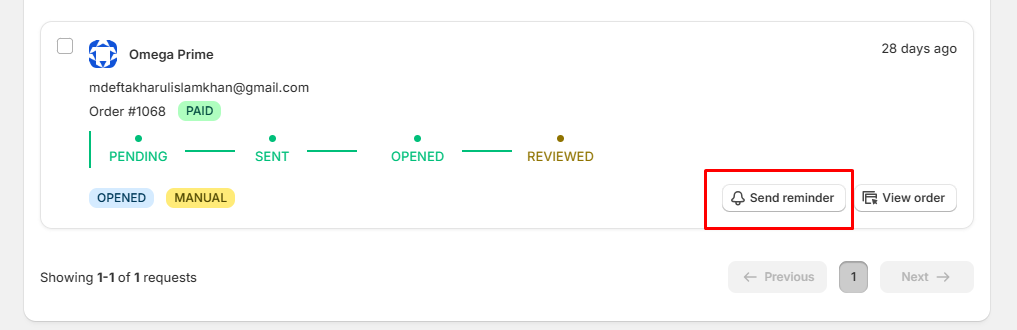
- View order: when click the view order show the all order information and review statuses.