Admin Notifications
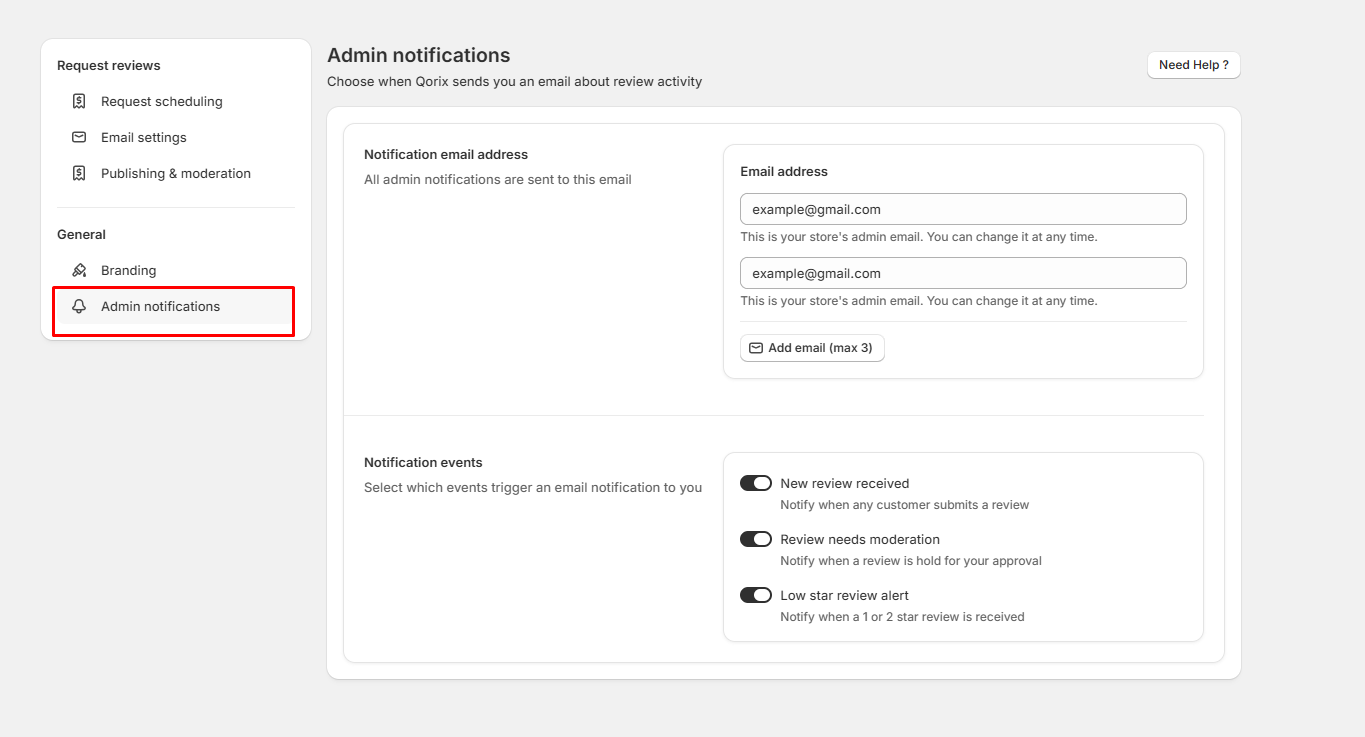
The Admin notifications page allows store managers to specify who receives email alerts regarding customer review activities and choose which specific events trigger those notifications.
Notification email address
- Email address inputs: Enter the administrator email addresses where review notifications will be sent (e.g., example@gmail.com). You can update these addresses at any time.
- Add email (max 3): Click this button to add additional recipient email addresses for admin alerts (up to a maximum of 3 emails).
Notification events
Select which customer review triggers generate an instant email alert to your admin team:
- New review received: Toggle switch to receive an email notification whenever any customer submits a review on your store.
- Review needs moderation: Toggle switch to get notified when a review is held in the queue waiting for manual approval before going live.
- Low star review alert: Toggle switch to trigger an instant alert whenever a customer submits a 1-star or 2-star review.